 +91 9003166661

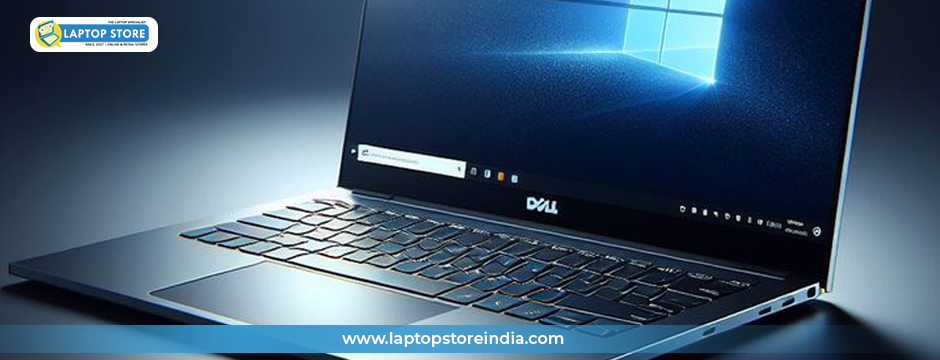
Walk into any office, café, or classroom in 2025, and you’ll see laptops everywhere. They’ve become the backbone of modern work and personal life. But as anyone who has owned one for a few years knows, laptops don’t stay perfect forever. Screens crack, chargers fray, batteries wear out, and keyboards collect more crumbs than we’d like to admit.
The real dilemma arises when problems show up: should you fix the part you have, or replace it with a new one? It might seem like a small decision, but it affects how long your laptop lasts, how much you spend, and how reliable your device is day to day.
At Laptop Store, we meet customers every week who come in with these exact questions. Some believe their device is beyond saving when, in reality, a single spare part could restore it to peak performance. Others sink money into repairs that don’t last, only to end up frustrated. That’s why we’ve put together this in-depth 2025 guide to spares for laptop models, helping you figure out when to repair and when to replace.
Why Laptop Spares Are More Important Than Ever
A decade ago, replacing a laptop every few years was common. But times have changed. New devices are more expensive, and many people want to reduce electronic waste. Thanks to wider availability of laptop spare parts, you no longer have to throw away a laptop over a failing charger or battery.
Consider this: in 2024, more than 60% of laptop owners surveyed in a tech consumer report said they had replaced at least one spare part in the last three years. That number is only growing in 2025, fueled by the global right-to-repair movement.
The shift is clear—people are realizing that small investments in spare laptop chargers, spare laptop screens, or spare laptop batteries can extend a laptop’s life span by years. Instead of treating laptops as disposable, spares have turned them into upgradable, sustainable tools.
The Real Costs of Repair vs. Replacement
When a laptop problem crops up, emotions often drive the first reaction. Panic when the screen flickers. Annoyance when the charger won’t connect. Frustration when the battery dies after just an hour. But the smarter way to decide is by looking at cost, age, and impact on usability.
Here’s a simple way to weigh your options:
If the cost of repair exceeds 50% of the replacement part, choose replacement. Repairs often don’t last as long, especially for wear-and-tear issues like batteries.
If your laptop is more than 5 years old, prioritize replacement parts. Spending too much on repairs for an aging device often means you’ll face another breakdown soon.
If performance is affected daily, don’t delay replacement. A cracked screen or failing battery isn’t just inconvenient—it reduces your productivity and comfort.
The Big Question: What to Repair, What to Replace
Let’s explore common laptop components, their typical problems, and whether it makes more sense to repair or replace them.
Chargers and Power Cables
Almost every laptop owner has dealt with this: a frayed cable, a loose connector, or a charger that simply stops working. You might try taping it or adjusting the plug, but those are short-term fixes. Faulty chargers can cause overheating, power surges, or even damage the laptop’s motherboard.
Repairing: Unsafe and unreliable in most cases.
Replacing: A spare laptop charger is inexpensive and ensures stable power delivery. Always choose compatible, high-quality spares to avoid long-term damage.
Decision: Always replace.
Screens
A laptop screen is one of the most vulnerable parts. Whether it’s a hairline crack from a drop, annoying dead pixels, or a dim backlight, screens affect how you interact with your device every single minute of use.
Repairing: Minor connection issues can be fixed, but physical damage is nearly impossible to restore.
Replacing: Installing a spare laptop screen brings your laptop back to life, especially for professionals who rely on accurate visuals.
Decision: Replace unless it’s a loose connection.
Batteries
Few things are more frustrating than watching your battery drain from 100% to 10% in less than an hour. Over time, all batteries degrade. Re-celling is a service some shops offer, but the results vary and can be unsafe.
Repairing: Rarely worth it, as you’ll still face reduced performance.
Replacing: A spare laptop battery ensures longer use, safety, and portability.
Decision: Replace to restore full functionality.
Keyboards and Trackpads
Spilled coffee, worn-out keys, or unresponsive trackpads are common complaints. Sometimes the issue is as simple as dust or crumbs.
Repairing: Cleaning or replacing individual keys works for small issues.
Replacing: If water damage or multiple keys are unresponsive, a full replacement with genuine laptop spare parts is best.
Decision: Clean if minor, replace if widespread.
Storage (HDDs and SSDs)
If your laptop is slowing down or frequently crashing, the hard drive may be failing. Mechanical drives (HDDs) are especially prone to wear.
Repairing: Data recovery is possible, but the drive itself won’t regain reliability.
Replacing: Upgrading to an SSD doesn’t just fix the problem—it makes your laptop faster than before.
Decision: Replace and back up data immediately.
Cooling Fans
Heat is a laptop’s silent enemy. Fans clogged with dust or failing motors can cause overheating and sudden shutdowns.
Repairing: Cleaning dust and reapplying thermal paste often fixes overheating.
Replacing: If the fan motor is worn out, a replacement is the only solution.
Decision: Try repair first, replace if the issue persists.
Hinges and Frames
Loose hinges or cracked frames can make your laptop uncomfortable to use and may eventually damage other parts like the screen.
Repairing: Tightening screws or adding adhesive can help temporarily.
Replacing: Severely broken hinges or cracked casings should be replaced to avoid further damage.
Decision: Repair minor issues, replace major ones.
Why Replacement Spares Make Sense
Customers often ask us: why not just repair everything? The truth is, replacement offers several advantages:
Reliability: New parts restore original performance, while repairs may not.
Safety: Components like chargers and batteries can pose risks if not replaced.
Value: Spending on spares for laptop models often costs a fraction of buying new, yet extends your device’s lifespan by years.
Sustainability: By replacing only the faulty part, you reduce e-waste and your environmental footprint.
How to Choose the Right Laptop Spares
Not every spare part is equal, and buying the wrong one can cost you more in the long run. Here’s what we recommend to all our customers at Laptop Store:
Check compatibility. Always match spares with your laptop’s exact model number.
Buy from trusted sources. Cheap, counterfeit parts may save money upfront but often lead to bigger problems.
Prioritize critical spares. Batteries and chargers should always be genuine for safety reasons.
Look for warranties. A good supplier stands behind the parts they sell.
Why Laptop Store Should Be Your Go-To
When it comes to sourcing reliable laptop spare parts, you need a partner you can trust. At Laptop Store, we combine years of expertise with a wide inventory of genuine and compatible spares. Whether it’s a spare laptop charger, spare laptop screen, or spare laptop battery, our team ensures you get the right part at the right price.
We also understand that not every customer is a technician. That’s why we offer guidance, installation services, and after-sales support. Our goal isn’t just to sell spares—it’s to help you make the smartest choice for your laptop’s health and your budget.
Final Thoughts
Every laptop owner will eventually face the choice between repairing and replacing parts. The key is knowing which issues deserve a quick repair and which require a reliable spare. For 2025, the rule of thumb is simple: if it’s safety-related (like chargers and batteries) or directly impacts usability (like screens and storage), replacement is the smarter, longer-lasting choice.
Your laptop doesn’t have to be disposable. With the right spares for laptop models, you can keep your device running smoothly for years to come. And when you’re ready to upgrade your laptop the smart way, Laptop Store is here to help with genuine, high-quality parts that give you confidence every time you power up.
When your laptop slows down or faces hardware issues, knowing whether to repair or replace parts can save money and extend its lifespan. Our 2025 guide on spares for laptop highlights which components are worth fixing and which should be replaced for better performance. Backed by Laptop Store India’s expertise and genuine products, this guide ensures you make smarter decisions for your device. Explore tips to enhance durability and keep your laptop running smoothly with trusted spare parts.
Leave your comment
Note: HTML is not translated!