 +91 9003166661

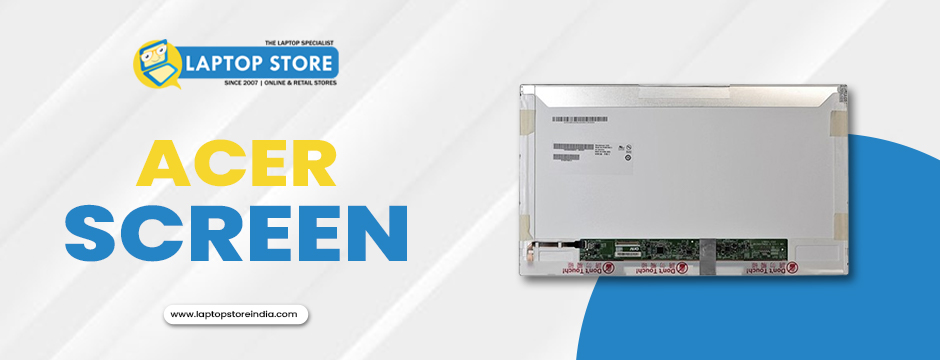
If you're an Acer laptop user, you know how frustrating a flickering screen can be. Whether it's disrupting your work, causing headaches, or simply making it difficult to enjoy your favourite shows or games, a flickering screen can quickly become a major annoyance. While there are several potential causes of screen flickering, a screen replacement is often the most reliable solution to restore your laptop's performance. This particular blog will explore the reasons why an Acer screen replacement is the best way to solve screen flickering issues, the benefits of replacing your screen, and how a professional service can provide the optimal fix.
What Causes a Flickering Screen on Acer Laptops?
Before diving into why a screen replacement is often the best solution, it's essential to understand what causes a screen to flicker. Flickering can occur due to a variety of issues, both hardware- and software-related. Here's a breakdown of the most common causes:
1. Hardware Malfunctions
Loose Connections: Over time, the internal cables connecting your laptop’s screen to the motherboard can become loose or disconnected. This can result in a flickering screen, especially if the laptop has been frequently opened and closed or moved around.
Backlight Problems: The backlight is responsible for illuminating the screen. If there's an issue with the backlight, such as a failure or malfunction, your screen may flicker, dim, or display inconsistent lighting.
Screen Panel Damage: Physical damage, such as cracks, dents, or severe pressure on the screen, can also lead to flickering. Even if the screen isn't cracked, internal damage can affect the display's functionality.
2. Software-Related Issues
Outdated Graphics Drivers: If the graphics driver isn't up-to-date, it can cause the display to behave erratically. Updating or reinstalling your drivers may solve the problem, but sometimes the issue persists due to deeper hardware problems.
Incompatible Display Settings: Incorrect display settings, like mismatched screen refresh rates, can also cause flickering. Ensuring that the refresh rate matches the capabilities of your Acer screen is critical.
Malware or Software Conflicts: Certain malware or software conflicts may interfere with your laptop’s display performance. Running antivirus scans and troubleshooting programs might help, but persistent flickering often points to physical damage.
While software issues can sometimes be fixed with updates, hardware problems, particularly those related to the screen itself, often require a more permanent solution, such as a screen replacement.
Why an Acer Screen Replacement Is the Best Solution
When screen flickering becomes a persistent issue, the best course of action is usually an Acer screen replacement. Here's why replacing the screen is the most effective way to resolve the problem:
1. Restores Full Functionality
A flickering or damaged screen is a major hindrance to using your laptop effectively. Whether you're using your laptop for work, gaming, or entertainment, a screen that doesn't function properly is essentially useless. Replacing the screen restores your laptop to full functionality, making it easier and more comfortable to use again.
2. Enhances Display Quality
Even if the screen isn’t visibly cracked or broken, a damaged screen may still cause poor visual quality, such as discoloration, dimming, or distortion. A new screen not only fixes flickering but also enhances the overall display quality. You'll enjoy clearer images, more vibrant colours, and a more enjoyable experience whether you're browsing, editing photos, or watching videos.
3. Budget-Friendly Alternative to a New Laptop
Purchasing a new laptop, especially if your current device is high-end or relatively new, can be quite expensive. An Acer screen replacement is a much more affordable option that allows you to extend the life of your laptop without breaking the bank. Replacing the screen is a cost-effective solution that can save you money while giving your device a new lease on life.
4. Prevents Further Damage
If you ignore a flickering screen and don’t replace it, the issue can often worsen over time. In some cases, screen issues can damage other internal components like the graphics card or motherboard. A timely screen replacement prevents further damage, ensuring that your laptop continues to perform optimally without additional repairs.
5. Environmentally Friendly Option
If you decide to purchase a new laptop, you'll be contributing to the growing issue of electronic waste. Instead of disposing of your old laptop and contributing to this issue, replacing the screen is a more eco-friendly option. By replacing just the damaged component, you help reduce the environmental impact of discarded electronics.
Signs That You Need an Acer Screen Replacement
Not all screen issues require a full replacement, but if you notice any of the following signs, it’s likely time to consider a new screen for your Acer laptop:
1. Persistent Flickering
If your screen flickers regularly, even after updating drivers or adjusting display settings, it's likely due to a hardware issue. Persistent flickering usually indicates that the screen’s internal components are malfunctioning, which often requires a replacement to fix.
2. Visible Cracks or Damage
Cracked screens are obvious signs that a replacement is necessary. Even minor cracks can worsen over time and potentially cause more damage to the display. A screen replacement is the most effective way to restore full functionality.
3. Uneven Brightness or Dim Display
If your screen has uneven brightness or areas that are significantly dimmer than the rest of the display, it could indicate an issue with the backlight or screen panel. A replacement will restore even brightness across the entire screen.
4. Unresponsive Touchscreen
For Acer laptops with touchscreens, unresponsiveness or erratic touch behaviour can be a major issue. A new screen is often the best way to resolve this problem, as touchscreen functionality is built directly into the screen.
DIY vs. Professional Screen Replacement
You might be tempted to replace your Acer laptop screen yourself, but this can often lead to more problems than it solves. While DIY repairs are possible, here’s why professional screen replacement is usually the better choice:
1. Expertise and Experience
Professional technicians have the necessary expertise and experience to handle complex laptop repairs. They can quickly and efficiently diagnose the issue and replace the screen without causing further damage to other components.
2. Use of Genuine Parts
Professional repair services always use genuine replacement parts. This ensures that the new screen is fully compatible with your laptop and maintains the quality of your device. Using aftermarket parts can lead to compatibility issues and may void your warranty.
3. Warranty and Support
Most professional repair services offer a warranty on their work, which gives you peace of mind knowing that if anything goes wrong, you're covered. DIY repairs, on the other hand, often don’t come with any guarantees.
4. Time and Effort
Replacing a laptop screen yourself can be time-consuming and difficult, especially if you're not experienced with laptop repairs. Professional services can usually complete the replacement quickly, minimising your downtime.
How to Choose the Right Acer Screen Replacement Service
When selecting a service provider for your Acer screen replacement, consider the following factors:
1. Reputation and Reviews
Look for a service provider with a good reputation and positive customer reviews. Online reviews can give you insight into the quality of their service and customer satisfaction.
2. Expertise in Acer Laptops
Make sure the service provider has experience working with Acer laptops. Different brands have unique components, and the technician must be familiar with your device.
3. Use of Genuine Parts
Always ask if the service provider uses genuine Acer replacement screens. Using non-original parts may lead to performance issues and could void your warranty.
4. Competitive Pricing
While it's important not to compromise on quality, you should also look for a service provider that offers competitive pricing. Get quotes from a few providers to ensure you're getting a fair deal.
Final Thoughts
Screen flickering is more than just a minor inconvenience—it’s a significant issue that can hinder your ability to use your Acer laptop effectively. An Acer screen replacement is often the best way to fix the issue, restore your laptop’s functionality, and improve your overall user experience.
Laptop Store India offers affordable Acer laptop screen replacements starting from Rs.3990. Whether your screen is cracked, flickering, or unresponsive, our skilled technicians provide fast, reliable repairs. Serving cities like Chennai, Bangalore, Pune, Mumbai, Hyderabad, and Kolkata, we guarantee exceptional service and competitive pricing. Visit us today or contact us to schedule your Acer screen replacement! By choosing us and investing in a genuine replacement screen, you can ensure that your Acer laptop lasts longer, performs better, and provides you with the quality display you deserve. Visit us now!