 +91 9003166661

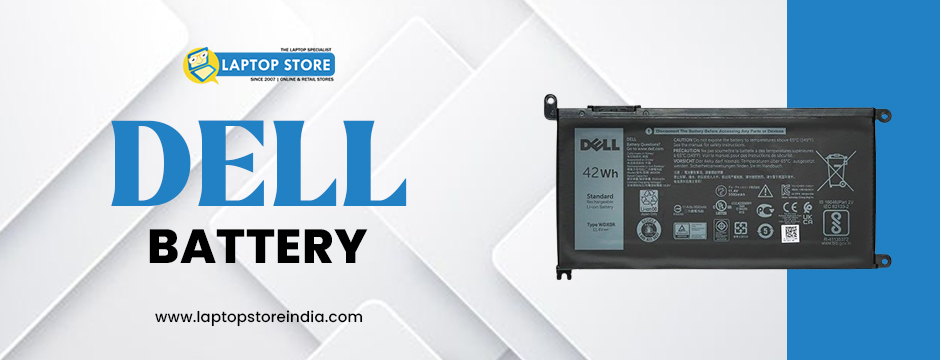
A Dell battery is one of the most essential components of your laptop that makes it portable and functions without any hindrances. But like all rechargeable batteries, it has a short lifespan and continuously loses power in a gradual way. A weak battery can develop low battery backup, abrupt shutting down, and the issue of getting heated, thus causing significant performance problems.
If your Dell laptop battery is no longer holding a charge, charges slowly, or your laptop is shutting down too soon, it is time to replace it. But with so many options available, how do you choose the perfect replacement?
In this complete guide, we will walk you through everything you need to know to get the perfect battery replacement for Dell laptops so that your laptop operates smoothly and reliably.
Why You Need to Replace Your Dell Battery
Laptop batteries are prone to weaken over time due to multiple charging cycles and frequent usage. There are various reasons for this weakening, which include:
Charge Cycle Limit: Most lithium-ion batteries have a charge cycle limit of 300-500 cycles before they become inefficient.
Exposure to Heat: Exposure to heat accelerates faster weakening the battery, losing its ability to hold a charge.
Overcharging: Keeping your laptop plugged in all the time can shorten the life of your laptop battery.
Age: Whether you use your laptop frequently or not, batteries grow old with age.
If your laptop battery is showing signs of failure, replacement is required to provide uninterrupted and continuous performance.
Signs That Indicate You Need a Dell Battery Replacement
Not sure if you need a replacement Dell Battery? It is important to know about the common warning signs as discussed below:
1. Radical Drop in Battery Life
Is your laptop closing down in just a few minutes after being removed from power, even after full charging? Then your battery capacity has significantly reduced.
2. Battery Not Charging
If your battery takes longer to charge or won't charge at all, it might be time to get a new one.
3. Laptop Overheating
An on-the-fritz battery will also cause your laptop to overheat, which is frustrating to use and can ruin other internal parts.
4. Sudden Shutdowns
If your laptop shuts down suddenly even when it is showing residual battery life, your battery is malfunctioning.
5. Swollen Battery
A physically bulging Dell laptop battery poses a risk to safety and must be replaced immediately to prevent harming your laptop or even risking a fire.
If you find yourself with any of these issues, it is essential to replace your Dell Battery as soon as possible.
How to Choose the Right Dell Laptop Battery Replacement
When replacing your Dell laptop battery, keep compatibility, quality, and longevity in mind. Here are the most critical things to remember to buy a replacement:
1. Check Your Laptop Model and Battery Specifications
Before buying a new Battery, you need to know the right specifications your laptop requires. Here's how to do it:
Check the battery label: Remove your laptop battery and observe information like model number, voltage, capacity, and wattage.
Go to Dell's official website: Use your laptop's service tag to find compatible battery models.
Check your laptop guidebook: Your guidebook will contain battery details and compatibility information.
Installing an incorrect model battery can lead to performance, overheating, and even harm to your laptop.
2. OEM or Third-Party Batteries
When replacing your Dell laptop battery, you can choose either:
OEM (Original Equipment Manufacturer) Batteries
Dell-made, which is perfectly compatible.
Higher-quality lithium-ion cells for better battery life.
Covered by an official warranty.
Compatible Third-Party Batteries
Cheaper than OEM batteries.
Sold differently by different suppliers.
Quality and longevity can be different.
Third-party batteries are cheaper but not necessarily as good in quality and safety features as OEM batteries. If you need a long-lasting and reliable Dell laptop battery, a genuine battery is the best bet.
3. Check the Battery Capacity and Power Ratings
While choosing a battery for a Dell laptop, you must check:
Milliampere-hour (mAh): Higher mAh means higher battery backup.
Voltage (V): Your replacement battery has to have the same voltage as your original battery.
Watt-hour (Wh): The higher, the better.
Using a battery with incorrect power ratings can lead to performance degradation and possible hardware failure.
4. Ensure Proper Battery Fit and Compatibility
Not all Dell laptop battery replacements are the same size, shape, or connector. To avoid installation issues:
Check if the battery fits your laptop properly.
Ensure that the connector matches your laptop's charging port.
Check the model number to confirm compatibility.
A poorly fitting battery can cause power failure or even damage internal components.
5. Look for Safety Features and Certifications
A high-quality battery must have basic safety features to avoid overheating, short circuits, and overcharging. Check for:
Genuine lithium-ion cells: Ensure the battery uses high-quality lithium-ion cells.
Certifications: Check for CE, FCC, and RoHS certifications to ensure compliance with safety standards.
Protection features: Look for overcharge, over-discharge, and short-circuit protection.
Low-quality batteries can pose serious risks, including fire hazards and damage to your laptop’s motherboard.
6. Purchase from a Genuine and Reputable Seller
Where you buy your Dell laptop battery matters. In order to have the confidence that you are getting an authentic replacement:
Shop from authorized sellers of Dell.
Shop from established online stores with favorable reviews.
Check the warranty and return policy.
Avoid buying batteries from unauthorized dealers, since counterfeit batteries could be dangerous and damage your laptop.
How to Maintain Your New Dell Battery for Longevity
After you have installed your Dell laptop battery, regular care can prolong its life and help your laptop maintain its performance. Adhere to these best practices:
Charge the battery initially to full before using it for the first time.
Prevent overcharging – remove your charger when the battery is full.
Use a genuine Dell charger to avoid voltage fluctuations.
Store your laptop in a temperature-controlled environment to avoid overheating.
Calibrate regular battery for maintenance of efficiency.
In case of not using the laptop for a long duration, keep the battery charged to 50%.
By following these easy tips, you can obtain the maximum utility from your new Dell laptop battery.
Where to Buy an Economical Dell Battery Replacement?
In case you are seeking a quality and cheap Dell laptop battery replacement, we, at Laptop Store India have an extensive array of options beginning at only Rs.1990.
Our offers:
Original Dell Batteries for numerous laptop models.
Aggressive pricing without losing quality.
Stable performance and longevity.
Drop by or call us at Laptop Store India today and obtain the ideal replacement for your Dell laptop battery!
Final Thoughts
Selecting the appropriate Dell Battery is essential to provide continuous performance and extended laptop efficiency. By opting for a compatible battery with the right power ratings, certifications, and safety features, you can avoid overheating, power outages, and frequent shutdowns.
If your existing laptop battery is on the verge of failure, don't wait to replace it! Purchase a high-quality, reliable battery from us at Laptop Store India, and experience hassle-free laptop use.
With an authentic Dell laptop battery, your laptop will be as good as new with long-lasting performance and optimal efficiency.