 +91 9003166661

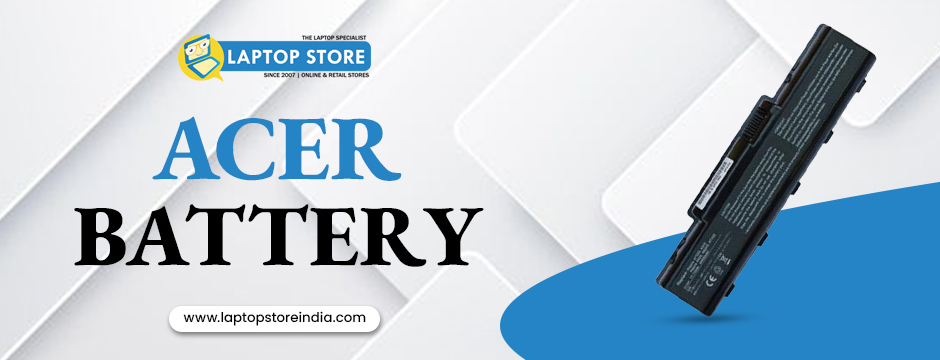
Choosing the correct battery for your laptop is crucial to ensuring optimal performance and longevity. In this comprehensive guide, we will walk you through every essential factor to consider when selecting a replacement battery. Whether you’re replacing an old power source or upgrading to improve your laptop’s performance, making an informed decision is the key to a reliable and long-lasting power solution. For instance, if you’re in the market for an Acer battery that meets your device’s specific requirements, careful consideration of compatibility, battery type, capacity, and other factors is essential. We will also introduce you to popular battery models and helpful tips to avoid common pitfalls, so you can keep your device running smoothly without interruption.
1. Compatibility
The first step in choosing the right battery is verifying compatibility. Start by checking your laptop’s make and model—this information can usually be found in your user manual, on a sticker on the back of your laptop, or the front bezel of the screen. Once you have identified your model, search for the recommended battery specifications. Understanding “how to check laptop model” is a fundamental step that will guide you to the right options. It is important to note that batteries are not universal; even small differences in design can affect how well a battery fits and functions. By ensuring compatibility, you reduce the risk of potential issues, such as improper fit or suboptimal performance. This foundational step will save you time and money while protecting your device’s overall health.
2. Battery Type
Once you have confirmed compatibility, the next factor to consider is the battery type. Modern laptops predominantly use lithium-ion batteries due to their excellent balance between energy density and weight. However, other types—such as lithium polymer (LiPo), nickel-cadmium (NiCad), and nickel-metal hydride (NiMH)—still exist in certain models. For many Acer laptops, the standard remains a lithium-ion cell. When selecting a replacement, ensure you match the battery technology recommended for your device. Using the correct battery type not only improves performance but also maximises safety. It’s critical to choose a battery that is specifically designed for your laptop model, as even minor differences in battery chemistry or design can lead to reduced efficiency or potential hazards. An optimal Acer battery selection will provide both reliability and longevity.
3. Capacity (Wh / mAh)
Battery capacity is a major consideration that directly impacts how long your laptop can run on a single charge. Capacity is typically measured in milliamperes (mAh) or watt-hours (Wh). A higher capacity means longer battery life, which is especially important if you frequently work in environments where access to power is limited. However, higher-capacity batteries are available only for specific laptop models due to design constraints and compatibility issues. Before ordering a higher-capacity battery compared to your original, consult an expert to ensure that it meets your laptop’s requirements. This step is crucial if you want to boost your device’s endurance without compromising on performance. By selecting a battery that matches your usage patterns, you ensure that your device remains productive throughout the day while safeguarding its internal components. An ideal Acer battery not only supports long hours of work but also maintains a balance between size and weight.
4. Finding the Right Battery by Part Number or Model
Identifying the correct battery is much easier if you have the part number or model information readily available. If you can remove your laptop battery safely, check the label for the part number or type number. For many laptops, this number is key to finding a compatible replacement. For example, Lenovo batteries display an FRU number, while HP and Dell batteries have their respective part numbers printed on the label. For Acer laptops, finding the precise battery code will ensure you receive a battery that meets your device’s standards. You can use the search box provided on many websites to quickly locate your desired battery by entering the part number. If you need additional help, take a clear picture of your laptop’s service tag, model number, or battery label and send it to our dedicated support team. At Laptop Store India, expert assistance is always available to help you pinpoint the perfect replacement. An accurate Acer battery match will eliminate compatibility issues and guarantee proper charging performance.
5. Voltage
Voltage is another critical parameter when choosing a replacement battery. The new battery’s voltage must match your laptop’s original specifications. Using a battery with an incorrect voltage can lead to hardware damage or reduced efficiency. Always verify the voltage rating on the battery label and compare it with your laptop’s requirements. Paying close attention to this detail ensures that the battery will integrate seamlessly with your device’s power management system, reducing the risk of malfunctions. Matching voltage is not just a matter of performance—it also plays a significant role in the safety of your device. An unsuitable voltage could potentially lead to overheating or even damage to internal components. Ensuring that every technical specification is met means your device will operate at its best with an optimised Acer battery.
6. Brand and Quality
When it comes to batteries, quality matters as much as compatibility. Stick to reputable brands or batteries that are recommended by your laptop’s manufacturer. High-quality batteries often include advanced safety features and undergo rigorous testing, reducing the risk of overheating or premature failure. Look for batteries that are certified by recognised standards, such as the Bureau of Indian Standards (BIS). Authenticity and quality control are essential to guaranteeing performance and durability. The components used in a battery can significantly affect how well it performs under continuous use, so don’t compromise on quality. A genuine Acer battery from a reliable manufacturer will be designed to meet strict quality standards, ensuring both longevity and optimal performance. Always verify the manufacturer’s credentials and check for any certifications or quality marks before making a purchase.
7. Reviews, Warranty, and OEM vs. Aftermarket
Before making your final decision, it is advisable to read customer reviews and ratings for the battery model you are considering. These reviews can provide real-world insights into performance, reliability, and potential issues that may not be evident from the specifications alone. Additionally, check the warranty offered by the battery manufacturer; a longer warranty often reflects confidence in the product’s durability. Consider whether to choose an Original Equipment Manufacturer (OEM) battery or a reputable aftermarket alternative. OEM batteries are made by the laptop manufacturer and guarantee compatibility, while high-quality aftermarket options can also be reliable and cost-effective. Ensure that the warranty, return policy, and customer support are satisfactory before finalising your purchase. A well-supported battery solution not only protects your investment but also contributes to a hassle-free user experience.
8. Installation and Calibration
After purchasing your replacement battery, proper installation and calibration are essential to ensure that it functions optimally from day one. Follow the installation guidelines provided by your laptop’s manufacturer or the battery supplier closely. Calibration may involve a few initial charge-discharge cycles, which help the battery’s internal circuitry accurately gauge its full capacity. This process is especially important for newer battery technologies and can help extend the overall lifespan of your battery. Proper installation also means safely securing the battery in your laptop and ensuring that all connectors are properly aligned. Taking the time to calibrate your new battery correctly will lead to improved performance and more accurate battery life estimates. With these steps in mind, your laptop will enjoy a consistent and reliable power source throughout its use.
9. Popular Acer Battery Models
When it comes to Acer laptops, there are several battery models to consider. Some popular options include the ACER Aspire Series 4920G, 4920 battery; Acer Series 5541 5542 5732 5734 5735 5738 Series Laptop Battery; Acer Aspire5930, 5920, and 6930 Compatible Laptop Battery; and Acer Aspire 4720, 4720z, 4720G Series Compatible Battery. Additionally, you can find options like the Acer Aspire 5540, 5550, and 5560 compatible Battery, the Acer Extensa 4620 and 4620Z Series Battery, and various models for the Acer Travelmate series and Acer Aspire One series. These models offer a range of specifications tailored to different usage needs. For those searching for quality and reliability, a well-selected Acer battery will ensure your laptop maintains its performance. To find the perfect match, check detailed specifications and consult with experts at Laptop Store India.
Why Laptop Store India is the best location for Acer batteries?
At Laptop Store India, we pride ourselves on providing high-quality laptops, excellent customer service, and trustworthy after-sales assistance to over 10 lakh delighted customers. Our team of 150+ passionate professionals is dedicated to delivering the greatest client experience possible. Recognised and honoured by the India SME Forum and proudly holding RBI's Best Seller accolade, we are committed to excellence in every aspect of our business. With exclusive outlets for major laptop brands and authorisation as a service centre for Acer repairs, we ensure that our customers receive genuine products and services. Our modern service centres, staffed by professional experts, are equipped to repair, update, and maintain your laptops with precision. If you’re looking for reliable support and the best replacement solutions, trust Laptop Store India to be your partner in achieving long-term customer satisfaction.
Bottom Line
In summary, choosing the right battery for your laptop involves a careful review of compatibility, battery type, capacity, voltage, brand, and quality. By following the detailed steps outlined in this guide—from verifying your laptop model to understanding the nuances of OEM versus aftermarket options—you can confidently select a battery that enhances your device’s performance and longevity. With proper research and the right technical specifications, an ideal Acer battery will deliver reliable power and contribute to your laptop’s overall efficiency. Remember to always consult expert advice and check reviews before finalising your purchase. For a seamless shopping experience and genuine replacement parts, consider the trusted solutions available at Laptop Store India. Enjoy a hassle-free upgrade and extend the life of your laptop with the perfect battery choice.