 +91 9003166661

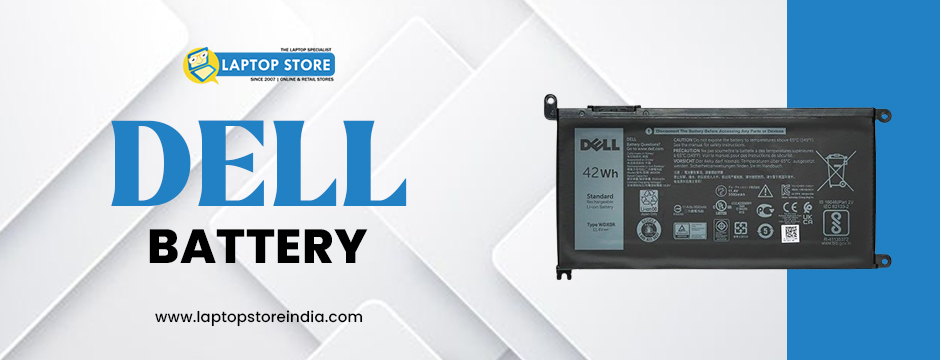
A reliable battery is one of the most critical components of a laptop. Whether you use your device for work, study, or entertainment, having a high-quality Dell Battery ensures smooth performance and uninterrupted usage. Over time, laptop batteries degrade, leading to shorter battery life and frequent recharging. If you’re experiencing these issues, it might be time to replace your Dell Battery.
Choosing the right battery for your Dell laptop can be overwhelming due to the wide range of options available. To help you make an informed decision, this comprehensive guide will walk you through everything you need to know when selecting the best Dell Battery for your laptop.
Why Choosing the Right Dell Battery Matters
Laptop batteries play a crucial role in the overall functionality of your device. Low quality batteries can cause the following:
Reduced battery life – Frequent charging cycles can shorten battery lifespan.
Overheating issues – Poor-quality batteries may cause excessive heat.
System crashes – Unstable power supply can lead to sudden shutdowns.
Potential laptop damage – Low-quality batteries may not provide proper voltage regulation.
By choosing the right Dell Battery, you can ensure:
Longer battery lifespan – High-quality batteries last for years with proper care.
Improved laptop performance – A good battery enhances overall device efficiency.
Portability and convenience – Longer battery backup means fewer interruptions.
Safety and reliability – Genuine batteries prevent overheating and voltage issues.
Factors to Consider When Choosing a Dell Battery
When buying a Dell Battery, it is crucial to look at several factors to guarantee compatibility and maximum performance.
1. Verify Your Laptop Model for Compatibility
The initial and most critical step is to verify your laptop model number. Every Dell laptop is made to be compatible with a particular battery type. An incompatible battery may lead to decreased efficiency or even harm to your device.
How to Verify Your Laptop Model:
Search for a sticker on the bottom of your laptop.
Open the BIOS options by pressing F2 when it starts up.
Check your current Dell Battery for specifications and the part number.
Go to the official Dell site and enter the model of your laptop to search for the appropriate battery.
2. Select Original vs. Compatible Batteries
When purchasing a new Dell Battery, you will find both original and third-party compatible ones.
Original Dell Batteries:
Dell-branded to ensure 100% compatibility with your laptop.
Provide a longer lifespan and better performance than non-original ones.
Provide warranty and safety certificates for further assurance.
Batteries Compatible With:
Third-party made, in most cases more expensive than original ones.
Can work on your laptop but with mixed quality and performance.
Could be of a shorter lifespan and cause frequent replacement.
Though compatible batteries may appear to be an economic option, they are not without danger. For long-term reliability and safety, we always advise you to select an original Dell Battery.
3. Battery Capacity and Backup Time
Battery capacity defines how long you will be able to use your laptop on a charge. It is expressed in mAh (milliampere-hours) or Wh (watt-hours). A higher-capacity battery provides longer backup.
Standard vs. Extended Batteries:
Standard Capacity (30-50Wh): Suitable for casual users with light power requirements.
Extended Capacity (60-90Wh): Suitable for professionals, gamers, and heavy travelers.
If you tend to work while on the move, purchasing an extended-capacity Dell Battery is a good investment.
4. Verify the Number of Cells in the Battery
Laptop batteries have varying cell configurations. The higher the number of cells in a battery, the longer it will last on a single charge.
Typical Battery Cell Options:
3-cell battery: Standard choice with lesser backup time.
6-cell battery: Typical option with good performance.
9 or 12-cell battery: Supports longer battery life, best suited for power users.
For maximum performance, we suggest opting for a 6-cell or higher Dell Battery.
5. Check Voltage and Power Ratings
Every laptop needs to be powered with a specific voltage to work normally. A wrong voltage battery will lead to overheating, inefficiency, and even harm the internal components of your laptop.
Verify your current Dell Battery for voltage rating (typically 10.8V, 11.1V, or 14.8V).
Your new battery should have the same original voltage rating for safety and performance.
6. Find Certified and Genuine Products
Avoid purchasing counterfeit or low-quality products by looking for safety certifications when buying a Dell Battery.
Find CE, UL, and RoHS certifications to ensure quality and environmental friendliness.
Only purchase from authorized dealers to ensure authenticity.
Genuine batteries have serial numbers and good branding on their packaging.
How to Extend the Life of Your Dell Battery
To get the most out of your Dell Battery, follow these essential maintenance tips:
Avoid Overcharging: Always unplug your charger when the battery reaches 100% to prevent overheating.
Use the Right Charger: Always use an original Dell adapter to prevent voltage fluctuations.
Adjust Power Settings: Lower your screen brightness and enable Battery Saver Mode to extend battery life.
Keep Your Laptop Cool: Store your laptop in a cool, dry place to prevent battery damage.
Regularly Update BIOS & Drivers: Dell releases battery optimizations through software updates, so keep your system up to date.
Where to Buy Genuine Dell Batteries in India?
To ensure you’re purchasing an authentic Dell Battery, always buy from an authorized dealer. Counterfeit batteries can harm your laptop and even pose safety hazards.
At Laptop Store India, we provide:
Genuine Dell, Lenovo, Asus, and HP batteries for top performance.
Authorized service and replacement for Acer laptops.
A dedicated service center for battery diagnostics and repairs.
Common Signs That You Need a New Dell Battery
If you’re unsure whether it’s time to replace your Dell Battery, watch out for these warning signs:
Drastic reduction in battery life – Your laptop drains too quickly even after a full charge.
Laptop shuts down unexpectedly – Power failures occur even when the battery shows charge.
Battery percentage fluctuates – The power level jumps randomly or fails to charge fully.
Overheating issues – The laptop becomes excessively hot while charging or using battery power.
Battery swelling – A swollen battery is dangerous and should be replaced immediately.
Final Thoughts
Choosing the right Dell Battery is essential for maintaining your laptop’s performance, efficiency, and lifespan. Before purchasing, always check compatibility, capacity, voltage, and certifications to make the best choice.
At Laptop Store India, we provide genuine Dell Battery replacements and expert support to help you find the perfect fit for your laptop.
Upgrade Your Laptop with a Genuine Dell Battery – Visit Laptop Store India Today!