 +91 9003166661

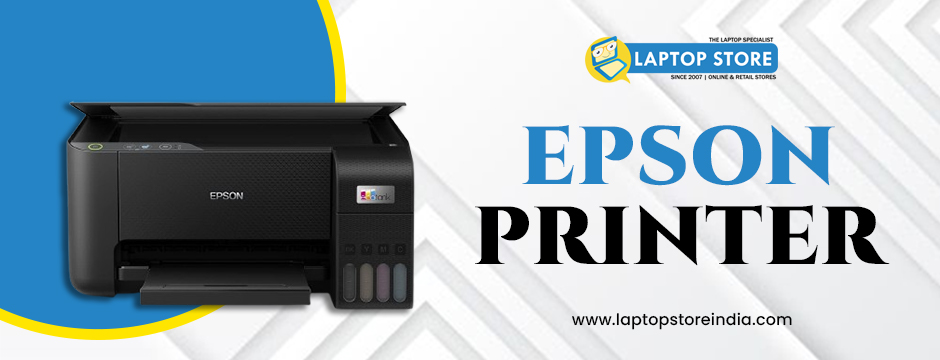
Epson printers are known for their reliability and high-quality prints. However, like any electronic device, they require regular maintenance to function efficiently. By taking proper care of your Epson printer, you can extend its lifespan, improve print quality, and avoid costly repairs. Here are some essential maintenance tips to maximise the efficiency of your printer.
1. Keep It Clean
Dust and dirt can easily accumulate inside the printer, affecting its performance. Regularly clean the exterior with a soft, lint-free cloth. For the interior, turn off the printer and gently remove any dust particles using a small vacuum or a can of compressed air. Avoid using wet or abrasive cleaning agents, as they can damage sensitive components.
Clean the paper tray to prevent paper jams and maintain smooth printing.
2. Use High-Quality Paper and Ink
Using low-quality paper or non-genuine ink cartridges can lead to paper jams, smudged prints, and even damage to the print head. Always use the recommended paper type and genuine Epson ink cartridges to maintain print quality and avoid unnecessary wear and tear.
Store paper in a cool, dry place to prevent moisture from causing paper jams.
3. Perform Regular Print Head Cleaning
Over time, the print head can become clogged, leading to poor print quality or missing lines. Epson printers come with a built-in print head cleaning function that can be accessed through the printer's control panel or software on your computer. Perform this cleaning regularly to maintain sharp and clear prints.
Avoid overusing the cleaning function, as it consumes a significant amount of ink.
4. Update Printer Firmware and Drivers
Epson frequently releases firmware updates to improve printer performance and security. Regularly check for updates and install them to keep your printer running smoothly. Updating drivers on your computer ensures compatibility and efficient communication between the printer and your device.
Visit the official Epson website to download the latest drivers and firmware.
5. Proper Cartridge Replacement and Storage
When replacing ink cartridges, make sure to do it carefully to avoid damaging the print head. Always use genuine Epson cartridges to maintain print quality. If you store spare cartridges, keep them in a cool, dry place away from direct sunlight.
Do not open a new cartridge until you are ready to install it to avoid drying out the ink.
6. Avoid Frequent Power Cycling
Turning the printer on and off frequently consumes more ink as the printer runs a self-cleaning cycle every time it powers up. Leave the printer on if you plan to use it multiple times throughout the day. These printers are energy-efficient and consume minimal power when idle.
If not in use for an extended period, power off the printer properly to conserve energy and ink.
7. Handle Paper Jams Properly
Paper jams are common but easily preventable with proper care. If a paper jam occurs, gently remove the paper without tearing it. Always pull the paper in the direction it feeds to avoid damaging the internal components.
Fan the paper stack before loading it to prevent multiple sheets from sticking together.
8. Protect Against Dust and Moisture
Dust and moisture can damage the internal parts of your Epson printer. Place the printer in a clean, dry location away from direct sunlight, dust, and humidity. When not in use, cover it with a dust cover to prevent dirt from entering the printer.
Ensure proper ventilation to avoid overheating.
9. Run Diagnostic and Maintenance Tools
These printers come with built-in diagnostic tools to check for issues such as alignment, ink levels, and print quality. Run these diagnostics regularly to detect and resolve problems before they escalate.
Schedule a monthly maintenance check to keep your printer in optimal condition.
10. Seek Professional Maintenance
If you encounter complex issues like mechanical errors or persistent poor print quality, seek help from authorised Epson service centres. Avoid trying to fix complicated problems yourself, as it may void the warranty or cause further damage.
Keep a record of maintenance and repairs for warranty claims.
Get the Best Epson Printers at Laptop Store India
Looking for high-quality Epson printers? At Laptop Store India, we offer a wide range of genuine Epson all-in-one printers designed to maximise efficiency and deliver exceptional print quality. Our commitment to authenticity and customer satisfaction ensures you get the best products backed by reliable after-sales support. With our modern service centres and dedicated professionals, we guarantee a seamless shopping experience. Visit Laptop Store India today and discover the perfect printer to meet your needs!
Conclusion
Maintaining your Epson printer doesn't require much effort but can significantly enhance its efficiency and lifespan. By following these simple yet effective maintenance tips, you can enjoy consistent print quality, avoid costly repairs, and get the most out of your printer.
Whether you use your printer at home or in the office, a little care goes a long way in ensuring it operates smoothly and efficiently. Keep your printer in top shape, and it will continue to deliver high-quality prints for years to come.