 +91 9003166661

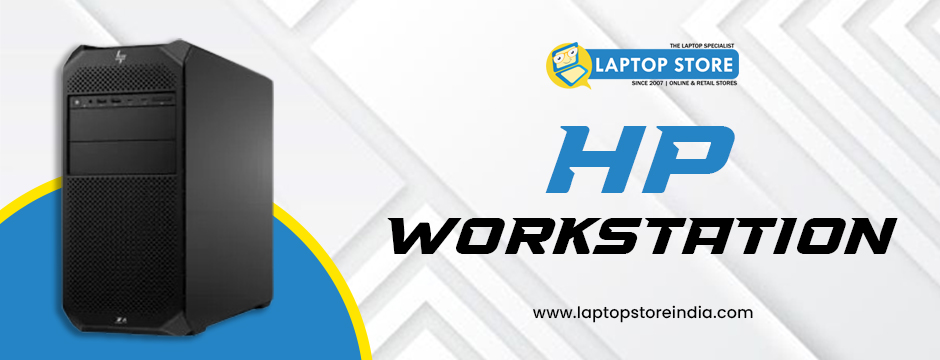
Proportionate productivity and efficiency are crucial for success these days. Whether you are a creative professional, an engineer, or someone managing large data sets, having the right tools can make all the difference. An HP Workstation is designed to provide high performance, reliability, and flexibility, helping you optimise your workflow and achieve better results. This blog will explore how you can maximise your productivity with an HP workstation and why it is a powerful tool for modern professionals.
Why Choose an HP Workstation?
HP Workstations are known for their power and durability. Unlike regular computers, they are built to handle heavy tasks such as graphic design, 3D modelling, video editing, and complex simulations. Here are some key reasons why professionals prefer HP workstations:
High Performance: With the latest Intel and AMD processors, HP Workstations can easily handle demanding applications.
Superior Graphics: They are equipped with powerful NVIDIA or AMD graphics cards, essential for creative and technical tasks.
Expandability and Upgradability: You can easily upgrade components like RAM, storage, and GPUs to keep up with your growing needs.
Reliability and Durability: HP Workstations are built to work smoothly under heavy workloads without crashing.
These features make HP Workstations an ideal choice for optimising your workflow. Let’s look at how you can maximise productivity using this powerful machine.
1. Customise Your HP Workstation for Your Needs
One of the best ways to optimise your workflow is by customising your workstation according to your specific needs. HP offers a wide range of configurations that allow you to select the right components for your work:
Processor (CPU): Choose a powerful CPU like the Intel Core i9 or AMD Ryzen Threadripper for tasks such as video editing, 3D rendering, or data analysis.
Graphics Card (GPU): If you work with graphics-intensive applications, select a high-end NVIDIA or AMD GPU for smooth performance.
Memory (RAM): More RAM helps in multitasking and running complex software. For heavy workloads, go for at least 32GB or 64GB of RAM.
Storage: Choose SSDs for quicker data access and faster startup times. You can also add HDDs for additional storage capacity.
By customising your HP Workstation, you can create an optimised environment tailored to your workflow, ensuring you have the power and speed needed to complete your tasks efficiently.
2. Organise Your Workspace for Maximum Efficiency
A clutter-free and well-organised workspace enhances productivity. Here’s how you can set up your workstation for better workflow management:
Multiple Monitors: Use multiple monitors to expand your workspace. This setup allows you to work on different applications simultaneously without constantly switching windows.
Ergonomic Setup: Arrange your desk and chair to maintain a comfortable posture, reducing fatigue during long working hours.
Cable Management: Keep cables organised to avoid a messy workspace and maintain focus.
Efficient Storage Solutions: Organise files and documents in clearly labelled folders on your workstation for quick access.
A well-organised workspace minimises distractions and allows you to focus on your work, optimising your overall workflow.
3. Leverage Powerful Software and Tools
An HP Workstation is capable of running complex and resource-intensive software with ease. To maximise productivity, use industry-specific tools and applications that are optimised for HP hardware:
For Creative Professionals: Adobe Creative Cloud, Autodesk Maya, and Blender work seamlessly on HP Workstations, providing faster rendering and editing.
For Engineers and Architects: Use AutoCAD, SolidWorks, or Revit for 3D modelling and simulations without lag or delays.
For Data Analysts and Scientists: Applications like MATLAB, SAS, and TensorFlow run smoothly, allowing you to analyse big data faster.
By leveraging high-performance software, you can complete tasks more efficiently and deliver high-quality work.
4. Utilise HP Performance Advisor
HP Workstations come with the HP Performance Advisor—a powerful tool that helps you optimise your system’s performance. Here’s how it helps:
System Configuration: It provides detailed insights into your workstation’s hardware and software configuration.
Performance Tuning: You can fine-tune your system settings for better performance based on the applications you use.
Driver Updates: The tool helps you keep your drivers up to date for better compatibility and stability.
Troubleshooting: It assists in diagnosing and resolving system issues, ensuring smooth operations.
Using the HP Performance Advisor ensures that your workstation is always optimised for peak performance, minimising downtime and increasing productivity.
5. Maintain and Upgrade Regularly
To keep your HP Workstation running at its best, regular maintenance and timely upgrades are crucial:
Software Updates: Regularly update your operating system and software applications to ensure compatibility and security.
Hardware Upgrades: As your workload increases, consider upgrading RAM, storage, or the GPU to maintain high performance.
Cleaning and Dusting: Periodically clean the internals to prevent dust build-up, which can cause overheating and slow performance.
Backup and Security: Use reliable backup solutions to protect your data, and ensure your workstation has up-to-date security software.
By maintaining and upgrading your workstation, you can maximise its lifespan and performance, ensuring a seamless workflow.
6. Collaborate and Communicate Efficiently
An HP Workstation is perfect for remote collaboration and communication. Use powerful tools and software for seamless teamwork:
Video Conferencing: Applications like Zoom, Microsoft Teams, and Google Meet run smoothly on HP Workstations, ensuring high-quality video and audio.
Cloud Collaboration: Use cloud-based tools like Adobe Creative Cloud, Autodesk 360, or Google Workspace to collaborate with team members in real-time.
Remote Access: Utilise remote desktop solutions for accessing your workstation from anywhere, ensuring productivity even when you are on the go.
By enhancing collaboration and communication, you can streamline project workflows and boost productivity.
Get the Best HP Workstations at Laptop Store India!
Looking for the latest and most powerful HP workstations? Look no further than Laptop Store India! We offer a wide range of cutting-edge models to enhance your productivity and performance. Choose from the HP Elite 800 Desktop Tower Workstation for robust computing, the compact yet powerful HP Z2 Mini Gen3 Workstation, the reliable HP Z238 Workstation, or the high-performance HP Z6 G4 Workstation designed for demanding tasks. Whether you’re a creative professional or a data analyst, we have the perfect solution for you. Visit Laptop Store India today and take your productivity to the next level!
Conclusion
An HP Workstation is more than just a powerful computer—it is a productivity powerhouse designed to optimise your workflow and help you achieve your professional goals. By customising your workstation, organising your workspace, leveraging powerful software, and maintaining your system, you can maximise efficiency and productivity. Whether you are a creative professional, engineer, or data analyst, an HP workstation provides the power, reliability, and flexibility needed to excel in your field.
If you are looking to enhance your workflow and boost productivity, consider investing in an HP Workstation today. It is an investment in your career and your future, helping you achieve more in less time.