 +91 9003166661

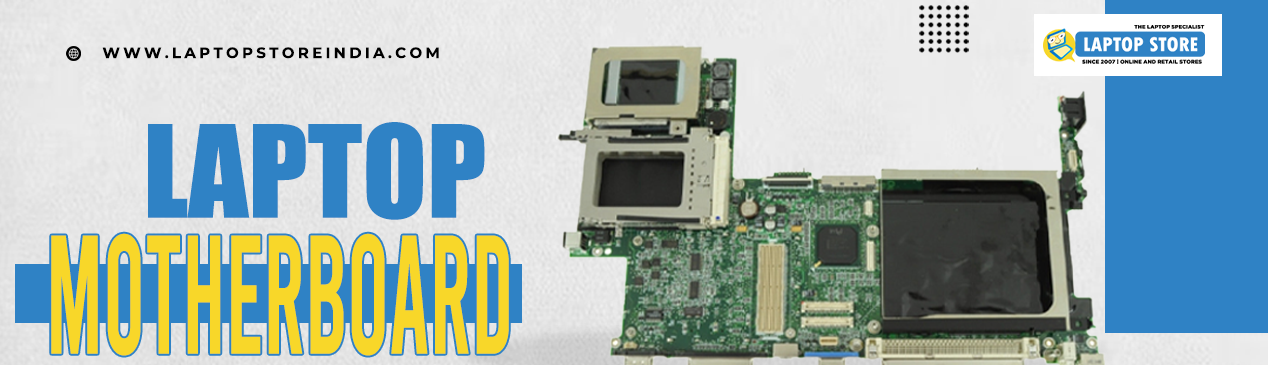
The motherboard of your laptop is the heart of your computer, as it connects all the components and ensures smooth communication between them. A malfunctioning or damaged motherboard can cause severe performance issues, affecting everything from speed to functionality. While many users may not immediately recognize the symptoms of a motherboard issue, knowing the signs can help prevent further damage and costly repairs. Discuss the top indications you need to replace or fix your Laptop motherboard and how to deal with it even before matters run worse.
1. System Crash and Freezing Frequent
One of the most common symptoms of a motherboard fault is when your system crashes or freezes often. If your system has started freezing randomly, crashing often, or fails to start at all, then it may indicate that something is wrong with the motherboard. When the motherboard starts to fail, it could lead to irregular communication between the CPU, RAM, and other components within the system, causing instability in the system.
Although software problems can also lead to freezing, if you discover that the problems persist even after troubleshooting or reinstalling the operating system, the motherboard may be the culprit.
Solution: If you feel that the motherboard is at fault, take it to a professional diagnostic technician. In most cases, a repair may do the trick, but the damage can be so extreme that the board needs to be replaced entirely.
2. No Power or Boot-Up Issues
If your laptop won’t turn on or fails to boot up properly, the Laptop motherboard could be the culprit. When the motherboard is damaged or malfunctioning, the power from the battery or power adapter might not be distributed correctly. This can result in a blank screen, the laptop not powering on, or the system stalling at the boot-up phase.
If the laptop appears to be getting power, but it won’t turn on, or it powers on but doesn’t boot into the operating system, it’s a clear sign that the motherboard may need attention.
Solution: Check if the issue could be related to other components like the battery or power adapter first. If those are working fine, a technician will need to check the motherboard. Sometimes, replacing or reflowing the solder joints on the motherboard can help restore functionality. However, severe damage may require complete replacement.
3. Overheating and Unusual Fan Noise
Another telltale sign that the motherboard might need repair is overheating or excessive fan noise. The motherboard plays a vital role in managing power distribution, and if it is malfunctioning, it can cause your laptop to overheat. The fan may work overtime to cool down the system, resulting in loud and unusual noises.
Overheating is also dangerous because it can cause further damage to your laptop’s internal components, including the processor and graphics card. If your laptop overheats frequently, even when performing light tasks, this could indicate a problem with the motherboard’s power management or circuitry.
Solution: To diagnose this, first ensure that the fan and cooling system are clean and functioning properly. If the overheating continues despite proper cooling, you may need to consult with a technician who can check the motherboard for faulty power delivery systems or damaged capacitors.
4. Unresponsive Keyboard
An unresponsive keyboard or trackpad could also be linked to motherboard problems. Since the motherboard connects all input devices to the laptop, a failure in this connection could cause these peripherals to stop working. If pressing keys or moving the cursor does not respond or if your laptop’s touchpad acts erratically, it could be due to a motherboard malfunction.
Another sign of motherboard failure affecting peripherals could be that only certain keys or regions of the trackpad stop working, or you notice inconsistent behavior with the mouse or keyboard.
Solution: Before jumping to conclusions, check if the issue is software-related or caused by a driver problem. If the problem persists after reinstalling drivers or performing a system restore, the motherboard may need to be repaired or replaced.
5. No Display or Distorted Screen
A laptop with a black screen or distorted display can be another indicator of a failing motherboard. The Laptop motherboard connects all display components to the system, and any malfunction here could cause issues like flickering black screens or permanent image distortion. If the laptop’s display remains blank, even though you can hear the system running or feel the keyboard light up, it’s likely that the motherboard is not properly communicating with the display.
If the screen is distorted or pixelated, this could indicate that the motherboard is struggling to send proper signals to the screen, especially if the graphics card or integrated GPU is also connected to the motherboard.
Solution: First, ensure the display is functioning by connecting an external monitor or using a different screen. If the external monitor works fine, the issue is likely with the laptop’s motherboard. You may need professional repair or replacement depending on the severity of the issue.
7. External Devices Not Being Recognized
If your laptop isn’t recognizing external devices like USB drives, external hard drives, or even the charging cable, the motherboard could be the source of the problem. The Laptop Motherboard is responsible for communication with external components through ports like USB, HDMI, and audio jacks. If these ports fail to work or the laptop fails to detect external devices, there may be a problem with the motherboard’s I/O (input/output) controller.
Solution: Check whether the external devices are functioning correctly by plugging them into other computers. If the devices work but not with your laptop, a damaged motherboard could be the problem. A technician may need to replace the faulty motherboard or repair the damaged ports.
8. Burning Smell or Visible Damage
Some very clear indications of needing repair or a change of your motherboard will appear either due to burns visible or in case the equipment has a smell of something burnt or black and brown blurs and spots along the surface and surrounding the motherboard or in any other piece of electronics, it simply means your components are overheating or getting shorted electrically and it's pretty serious-it is dangerous enough for further damages, not forgetting the hazard of a potential fire and you must replace it straight away.
Solution: Power off the laptop right away to prevent further damage. Never try to turn it back on without a professional inspection, for example, if the motherboard is burnt or damaged, it may have to be replaced.
9. No Audio
Another sign of a motherboard problem is a lack of audio or distorted sound, especially if your speakers and drivers are working fine. The motherboard controls the sound card, so a malfunction here can cause problems with your laptop's audio output. Distorted or absent sound, even after troubleshooting the software settings, may indicate a faulty motherboard.
Solution: The audio drivers should be updated and the sound settings must be rightly configured. If nothing goes well, then the sound chip on the motherboard is damaged and professional repair or replacement of the motherboard is necessary.
Bottom Line
Your Laptop Motherboard is a crucial part of your laptop’s functionality, and its failure can lead to a variety of frustrating issues. If you notice any of the signs mentioned above, it’s important to seek professional assistance promptly. In some cases, a simple repair or reflowing of the motherboard may suffice, but in more severe cases, replacing the motherboard may be the best option to restore your laptop’s performance. You can also search for accurate laptop motherboards at our website LaptopStoreIndia so that you can ensure errorless use of your laptop.